

ASUS Transformer vs Motorola XOOM
Overview
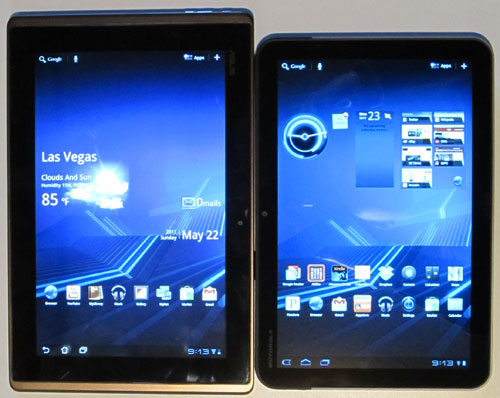
When comparing the ASUS Transformer with the Motorola XOOM, it mostly comes down to hardware differences since the two pretty much have the same exact specs and software. The main thing that sets the ASUS Transformer apart is the fact that it has an optional keyboard dock accessory that essentially transforms the device into an Android-powered laptop. The XOOM on the other hand, sets itself apart with a more solid design and options for 3G and 4G wireless.

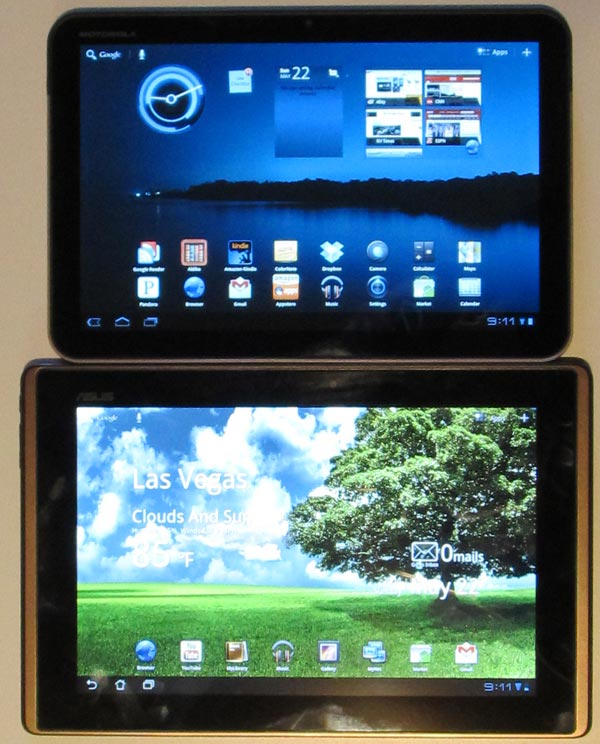
ASUS Transformer vs Motorola XOOM: Specs
| ASUS Transformer | Motorola XOOM | |
|---|---|---|
| Screen Size | 10.1-inch LED-backlit IPS | 10.1-inch LCD |
| Resolution | 1280 x 800 | 1280 x 800 |
| Processor | 1GHz dual-core NVIDIA Tegra 2 | 1GHz dual-core NVIDIA Tegra 2 |
| Operating System | Android 3.0 (3.1 update pending) | Android 3.1 |
| Storage | 16GB/32GB, microSD card slot | 32GB, microSD card slot (16GB model pending) |
| Memory | 1GB DDR2 RAM | 1GB DDR2 RAM |
| Wireless | WiFi, Bluetooth (3G pending) | WiFi, Bluetooth, optional 3G (4G LTE pending) |
| Front Camera | 1.2 megapixel | 2 megapixel |
| Rear Camera | 5 megapixel, 720p video capture | 5 megapixel with LED flash, 720p video capture |
| Input/Output | mini-HDMI, proprietary USB, 3.5mm headphone jack, 2 speakers, mic, keyboard dock (optional; $149) | mini-HDMI, mini-USB, charger, 3.5mm headphone jack, 2 speakers, mic, SIM card (optional) |
| Battery | 8-10 hours, 16 with keyboard dock | 8-10 hours |
| Weight | 24 oz | 25 oz |
| Thickness | 0.51" | 0.50" |
| MSRP | $399/$499 | $599/$799 |
ASUS Transformer vs Motorola XOOM Video Review
Where the ASUS Transformer Wins
- Lower price.
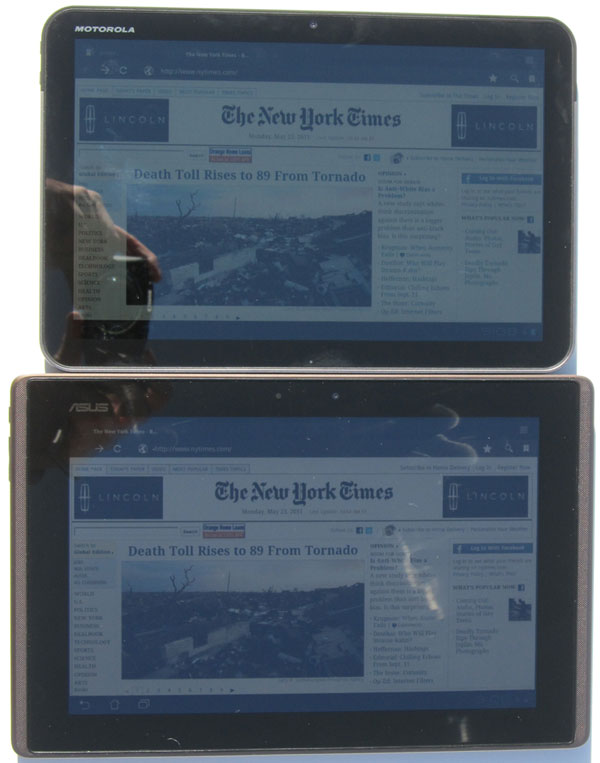
- IPS display has better color detail and brightness, better viewing angles. Slightly better readability outdoors in bright sunlight as well.
- Weighs about 1 ounce less than XOOM.
- Optional keyboard dock.
- Easily take screenshots.
- Comes with ASUS cloud storage.
- Comes with Polaris Office app for editing and creating documents, spreadsheets, and presentations.
- Faster boot time: 34 seconds versus 56 seconds for the XOOM.
Where the Motorola XOOM Wins
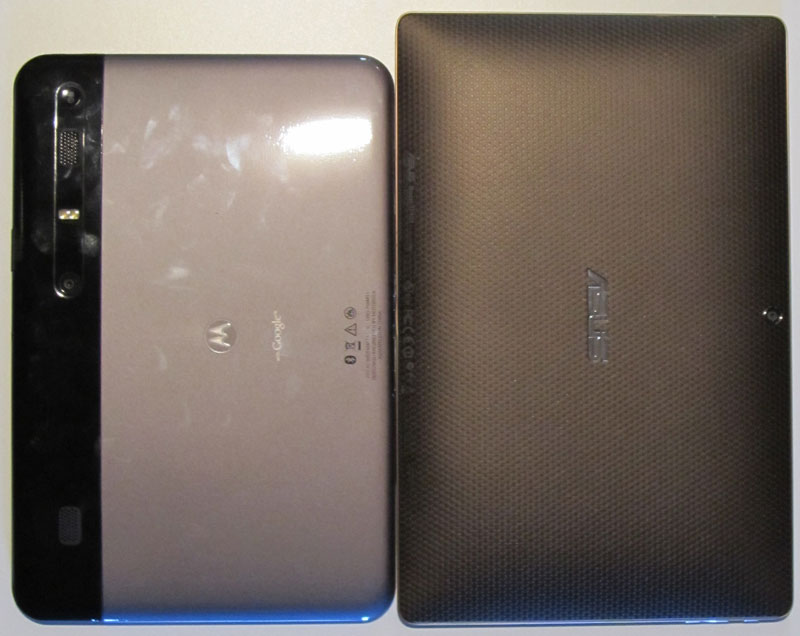
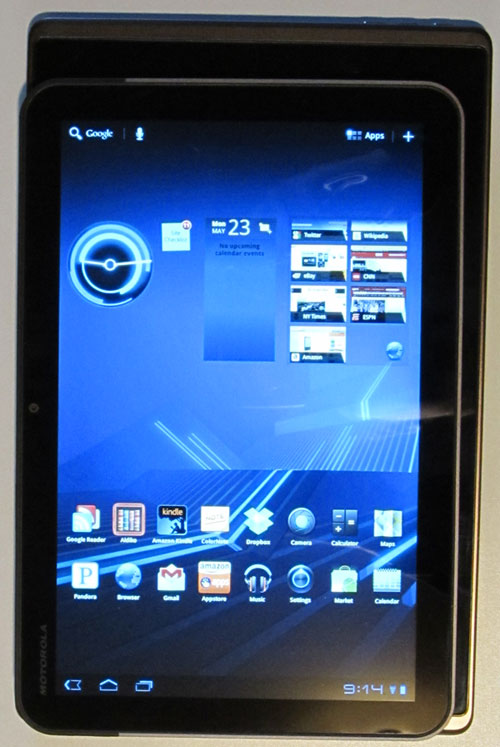
- Smaller design, about 3/8" narrower and 7/8" shorter.
- Better build quality, metal back vs plastic for ASUS.
- Option for 3G wireless, with 4G upgrade.
- Better cameras: rear LED flash, higher megapixel front camera.
- Touchscreen is slicker and more responsive.
- Speakers sound slightly better, more mid-tones.
- LED indicators.
- Comes with Movie Studio app for editing movies, plus a couple of games, Cordy and Dungeon Defenders.
- Smoother video playback for some videos (this makes no sense given the fact the two devices have the same exact specs; the ASUS probably just needs a firmware update to smooth this issue out).
ASUS Transformer vs Motorola XOOM: Conclusion
From a personal standpoint, I had hoped the ASUS Transformer would replace my Motorola XOOM because I really like the idea of the keyboard dock for using the device to create documents in addition to using it as a proper tablet. It is simply too time consuming and awkward to use an on-screen keyboard for writing long reviews and news articles. But there a couple of things that keep the Transformer from replacing my XOOM.
I wouldn't say the Transformer feels cheap, but compared directly to the XOOM and iPad the plastic back and overall design does feel a lot less solid. Secondly, while the IPS display is better than the XOOM's typical LCD display, the lack of touch responsiveness at times is a real turnoff. I frequently have to press more than once to get something to react. Plus the fact that my Transformer suffers from light bleed issues doesn't help its cause.
In the end, it all comes down to how much money you want to spend and how exactly you want to use the device. If you want a slightly better screen with wider viewing angles and want to do a lot of typing, the ASUS Transformer with the keyboard dock is the clear winner. If you don't want the option of a keyboard dock and can afford the extra cost, I would suggest the Motorola XOOM because it feels more comfortable to hold, has a higher quality build, and has not given me any troubles at all using it everyday for two months, whereas the Transformer has frozen up 3 times in the first week.


