Kindle vs Nook vs Sony Daily Edition
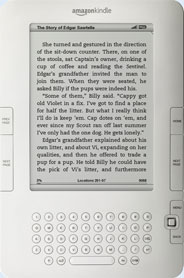
Kindle Advantages
- Basic web browser with free internet (US, Hong Kong, Mexico, and Japan).
- Over 400,000 ebooks available with the best prices generally. Research
- Over 135 newspaper and magazine subscriptions available.
- Available to over 170 countries.
- Free wireless in over 100 countries.
- Several free ebooks added monthly, plus discounted ebooks. Link
- 30-day return policy with no restocking fee, just return shipping.
- Text-to-speech (if approved by publisher).
- Built-in speakers and headphone jack.
- Compatible with audiobooks from Audible.com.
- Generally known for having helpful customer service and good warranty service.
Kindle Disadvantages
- Amazon's proprietary ebook DRM, which can't be used on other ebook readers.
- Doesn't support EPUB without conversion.
- Not compatible with ebooks from libraries.
- No memory card slots (except Kindle 1).
- No folders for organizing ebooks (folder firmware update pending).
- The Kindle Store has limited search options.
- Doesn't come with a cover/case.
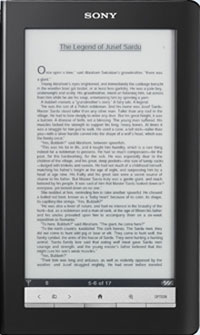
Sony Daily Edition Advantages
- Supports Adobe EPUB and PDF, meaning ebooks can be purchased from many websites. List
- Compatible with Overdrive.com for ebooks through local libraries.
- Free wireless connection to the Sony Reader store.
- Comes with a soft cover, travel case, AC adaptor, user replaceable battery, stylus.
- Larger device: 7.1-inch E Ink touchscreen.
- On-screen note-taking, highlighting, drawing, keyboard.
- Gesture-based touch navigation.
- 2 page landscape view.
- SD and Pro Duo card slots.
- Decent PDF functionalities with larger screen size, zoom, crop margins, re-flow, hyperlinks, landscape view.
- Faster than Kindle and Nook to open menus, turn pages, load ebooks, etc.
- Rated with a battery life of 12,000 page-turns with wireless turned off.
Sony Daily Edition Disadvantages
- No web browser or free internet.
- Can't download free public domain ebooks from Google or library ebooks via wireless. Requires PC.
- Touchscreen increases visible reflections.
- Few periodical subscriptions currently available.
- No built-in speakers, just headphones.
- No text-to-speech.
- Costs $140 more than Kindle and Nook, but to be fair it comes with several more accessories, is larger, and has an interactive touchscreen.
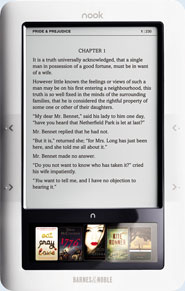
Nook Advantages
- Supports Adobe EPUB and PDF, meaning ebooks can be purchased from many websites. List
- Compatible with Overdrive.com for ebooks through local libraries.
- Free wireless connection to B&N's online ebook store.
- Color LCD touchscreen pane for navigation, typing, etc.
- Wi-Fi, plus free Wi-Fi at B&N stores.
- Adjustable font type.
- Web browser using Wi-Fi.
- Micro SD card slot.
- New innovative design.
- Several free ebooks added monthly. Link
- Download free ebooks via wireless.
- User replaceable battery.
- Slightly lighter text background.
- Built-in speaker and headphone jack.
- Lend a purchased ebook one time for 14 days (if approved by publisher).
- Android operating system is hackable.
Nook Disadvantages
- No page jump.
- Notes, dictionary not very functional.
- Slow operation, although improving with firmware updates.
- The claim of 1 million ebooks is laughable – most are free public domain titles through Google, and are not exclusive.
- No text-to-speech.
- Poor PDF support.
- Battery life less.
- No landscape mode.
- New product with plenty of glitches to work out, rushed release.
- Doesn't come with a cover/case.
Learn More
Back To Top